Introducing the new Pathling server
We're excited to announce the release of a new Pathling server. This is a ground-up redesign that brings SQL on FHIR support, a web-based administration interface, Kubernetes deployment via Helm, and comprehensive bulk data operations.
Background
Earlier versions of Pathling included a server component with custom operations like aggregate and extract for analytics queries. While these were powerful, they were Pathling-specific and didn't interoperate with other systems.
Following this, we spent about two years working with international collaborators to come up with a new standards-based approach to FHIR analytics: SQL on FHIR. This work incorporated many learnings from our early work on Pathling. With the publication of the SQL on FHIR view specification we have a solid foundation on which to build solutions that work across different implementations. We even wrote a paper about it.
Of course we were excited to not just add support for SQL on FHIR to Pathling, but to completely reimagine its functionality based on the new architecture. With the v8.0.0 release, we removed the server to focus on a refreshed set of core libraries based on SQL on FHIR.
And now the server is back, rebuilt with a standards-based approach and versioned independently from the libraries (starting at 1.0.0).
The new server exclusively depends on the library-runtime module, which
provides a much looser coupling to the core Pathling libraries. This makes the
server lighter and more maintainable, and allows it to evolve independently
of the libraries.
What is Pathling server?
Pathling server is a FHIR R4 analytics server that accepts data from multiple sources, stores it in an optimised data warehouse, and exposes powerful query and export capabilities. It's built on Apache Spark for distributed processing and supports both single-node and cluster deployments.
SQL on FHIR
The headline feature is support for the SQL on FHIR specification. This replaces
the previous aggregate and extract operations with a standards-based
approach that works across implementations — view definitions created for
Pathling will work on any SQL on FHIR-compliant system.
Views are portable, declarative definitions that specify how to flatten hierarchical FHIR resources into rows and columns.
View definitions
A view definition specifies which resource type to query and how to extract columns using FHIRPath expressions:
{
    "resourceType": "ViewDefinition",
    "name": "patient_demographics",
    "resource": "Patient",
    "status": "active",
    "select": [
        {
            "column": [
                {
                    "name": "id",
                    "path": "id"
                },
                {
                    "name": "family",
                    "path": "name.first().family"
                },
                {
                    "name": "given",
                    "path": "name.first().given.first()"
                },
                {
                    "name": "gender",
                    "path": "gender"
                },
                {
                    "name": "birth_date",
                    "path": "birthDate"
                }
            ]
        }
    ]
}
Running views interactively
The $viewdefinition-run operation executes a ViewDefinition and returns results synchronously. This is ideal for interactive exploration and testing:
curl -X POST 'http://localhost:8080/fhir/$viewdefinition-run' \
  -H 'Content-Type: application/fhir+json' \
  -H 'Accept: application/x-ndjson' \
  -d '{
    "resourceType": "Parameters",
    "parameter": [
      {
        "name": "viewResource",
        "resource": {
          "resourceType": "ViewDefinition",
          "name": "patient_demographics",
          "resource": "Patient",
          "status": "active",
          "select": [
            {
              "column": [
                { "name": "id", "path": "id" },
                { "name": "family", "path": "name.first().family" }
              ]
            }
          ]
        }
      }
    ]
  }'
The response is newline-delimited JSON:
{"id":"patient-1","family":"Smith"}
{"id":"patient-2","family":"Jones"}
You can also request CSV output by setting Accept: text/csv.
Exporting views at scale
For larger datasets, use $viewdefinition-export to run views asynchronously and export results to files. This operation supports multiple output formats:
- NDJSON – newline-delimited JSON
- CSV – comma-separated values
- Parquet – columnar format for efficient analytics
curl -X POST 'http://localhost:8080/fhir/$viewdefinition-export' \
  -H 'Content-Type: application/fhir+json' \
  -H 'Accept: application/fhir+json' \
  -H 'Prefer: respond-async' \
  -d '{
    "resourceType": "Parameters",
    "parameter": [
      {
        "name": "viewResource",
        "resource": { "...ViewDefinition..." }
      },
      {
        "name": "_outputFormat",
        "valueString": "application/vnd.apache.parquet"
      }
    ]
  }'
The server returns a 202 Accepted response with a Content-Location header
pointing to a status endpoint. Poll this endpoint until the job completes, then
download the result files.
Bulk data operations
Import
The $import operation loads FHIR data from external sources into the server.
Supported formats include:
| Format | MIME type |
|---|---|
| NDJSON | application/fhir+ndjson |
| Parquet | application/vnd.apache.parquet |
Data can be loaded from Amazon S3, HDFS, or the local filesystem.
curl -X POST 'http://localhost:8080/fhir/$import' \
  -H 'Content-Type: application/json' \
  -H 'Prefer: respond-async' \
  -d '{
    "inputFormat": "application/fhir+ndjson",
    "input": [
      { "type": "Patient", "url": "s3a://my-bucket/Patient.ndjson" },
      { "type": "Observation", "url": "s3a://my-bucket/Observation.ndjson" }
    ],
    "mode": "merge"
  }'
Import modes control how incoming data interacts with existing resources:
- overwrite – replace all existing resources of each type
- merge – update existing resources by ID, add new ones
- append – add resources without modifying existing data
Synchronisation with remote servers
The $import-pnp (ping and pull) operation fetches data directly from a FHIR
server that supports bulk export. Pathling initiates the export, polls for
completion, downloads the files, and imports them — all in a single operation.
This enables scheduled synchronisation with source systems:
curl -X POST 'http://localhost:8080/fhir/$import-pnp' \
  -H 'Content-Type: application/fhir+json' \
  -H 'Prefer: respond-async' \
  -d '{
    "resourceType": "Parameters",
    "parameter": [
      { "name": "exportUrl", "valueUrl": "https://source.example.com/fhir/$export" },
      { "name": "saveMode", "valueCode": "merge" }
    ]
  }'
Export
The $export operation extracts data from the server using the
FHIR Bulk Data Access specification.
Exports can be scoped to the entire system, a specific patient, or members of a
Group:
# System-level export
curl -X GET 'http://localhost:8080/fhir/$export' \
  -H 'Accept: application/fhir+json' \
  -H 'Prefer: respond-async'

# Patient-level export
curl -X GET 'http://localhost:8080/fhir/Patient/123/$export' \
  -H 'Accept: application/fhir+json' \
  -H 'Prefer: respond-async'

# Group-level export
curl -X GET 'http://localhost:8080/fhir/Group/cohort/$export' \
  -H 'Accept: application/fhir+json' \
  -H 'Prefer: respond-async'
CRUD operations and search
The server supports CRUD operations on FHIR
resources, including ViewDefinition resources:
# Create
curl -X POST 'http://localhost:8080/fhir/Patient' \
  -H 'Content-Type: application/fhir+json' \
  -d '{ "resourceType": "Patient", "name": [{ "family": "Smith" }] }'

# Read
curl -X GET 'http://localhost:8080/fhir/Patient/123'

# Update
curl -X PUT 'http://localhost:8080/fhir/Patient/123' \
  -H 'Content-Type: application/fhir+json' \
  -d '{ "resourceType": "Patient", "id": "123", "name": [{ "family": "Jones" }] }'

# Delete
curl -X DELETE 'http://localhost:8080/fhir/Patient/123'
FHIRPath search
Search for resources using FHIRPath expressions instead of standard FHIR search parameters. This provides more expressive filtering capabilities:
# Find male patients
curl 'http://localhost:8080/fhir/Patient?_query=fhirPath&filter=gender%3D%27male%27'

# Find patients born after 1980
curl 'http://localhost:8080/fhir/Patient?_query=fhirPath&filter=birthDate%20%3E%20%401980-01-01'

# Find observations with specific code and value above threshold
curl 'http://localhost:8080/fhir/Observation?_query=fhirPath&filter=code.coding.code%3D%278867-4%27%20and%20valueQuantity.value%20%3E%20100'
Multiple filter parameters are combined with AND logic. Comma-separated
expressions within a single parameter use OR logic.
Web interface
A new built-in web interface provides administrative access to the server and an easy way to interact with its features.
The UI is served directly by the server and requires no additional deployment. It is a SMART App and is capable of integrating with Pathling servers that have authentication enabled.
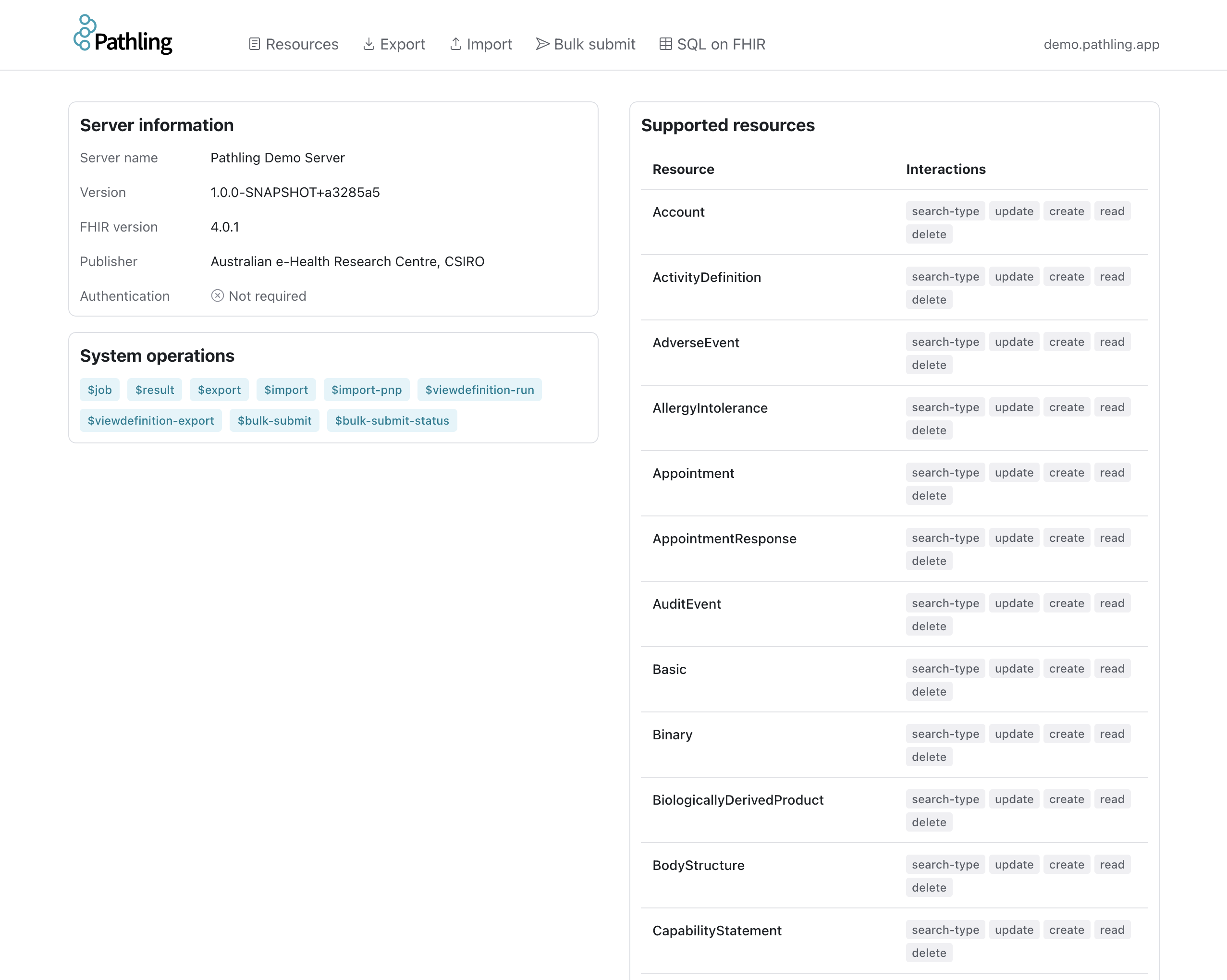
The Dashboard allows you to view server information, supported resources, and available operations.
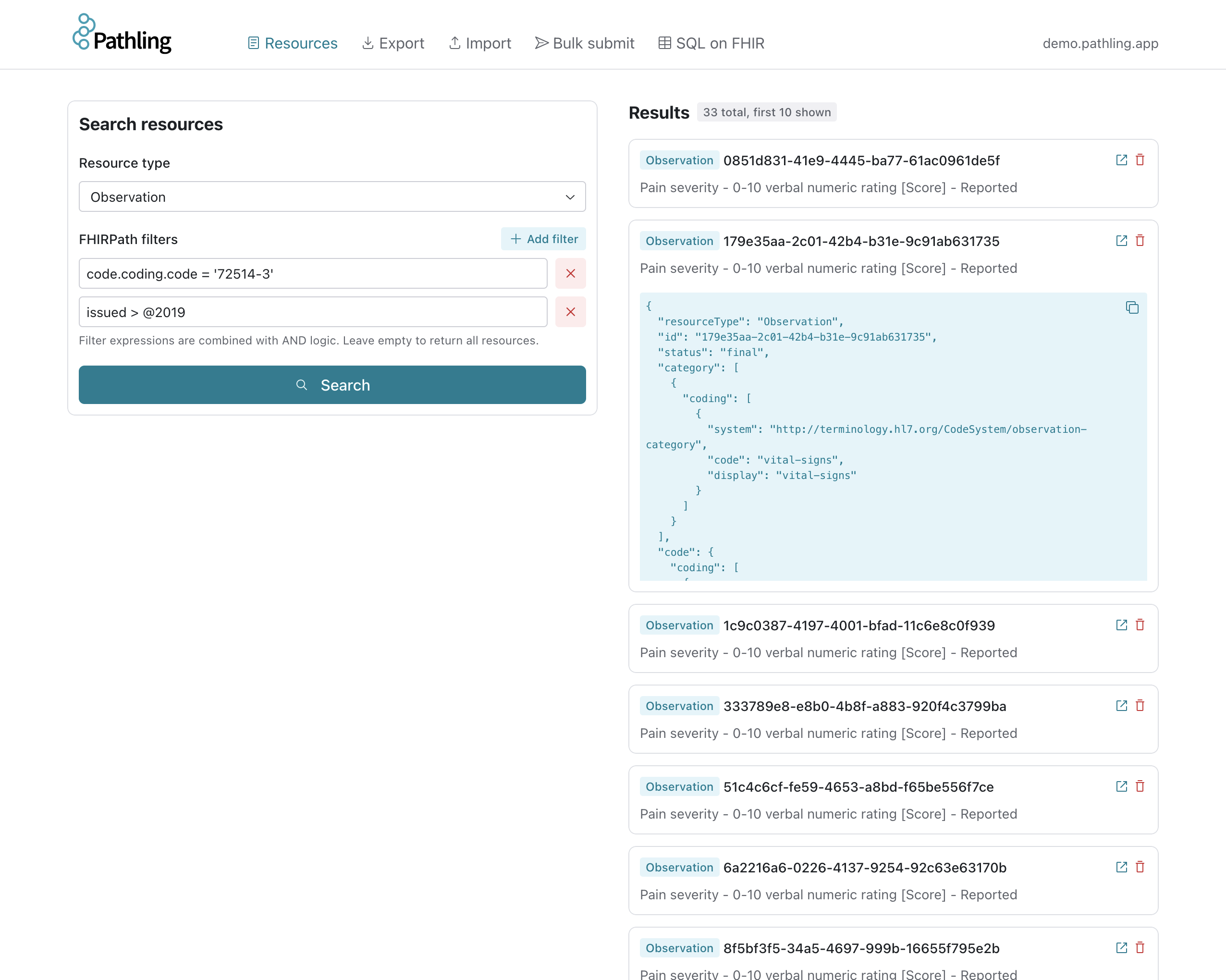
The Resources page allows you to browse and search FHIR resources using FHIRPath expressions.
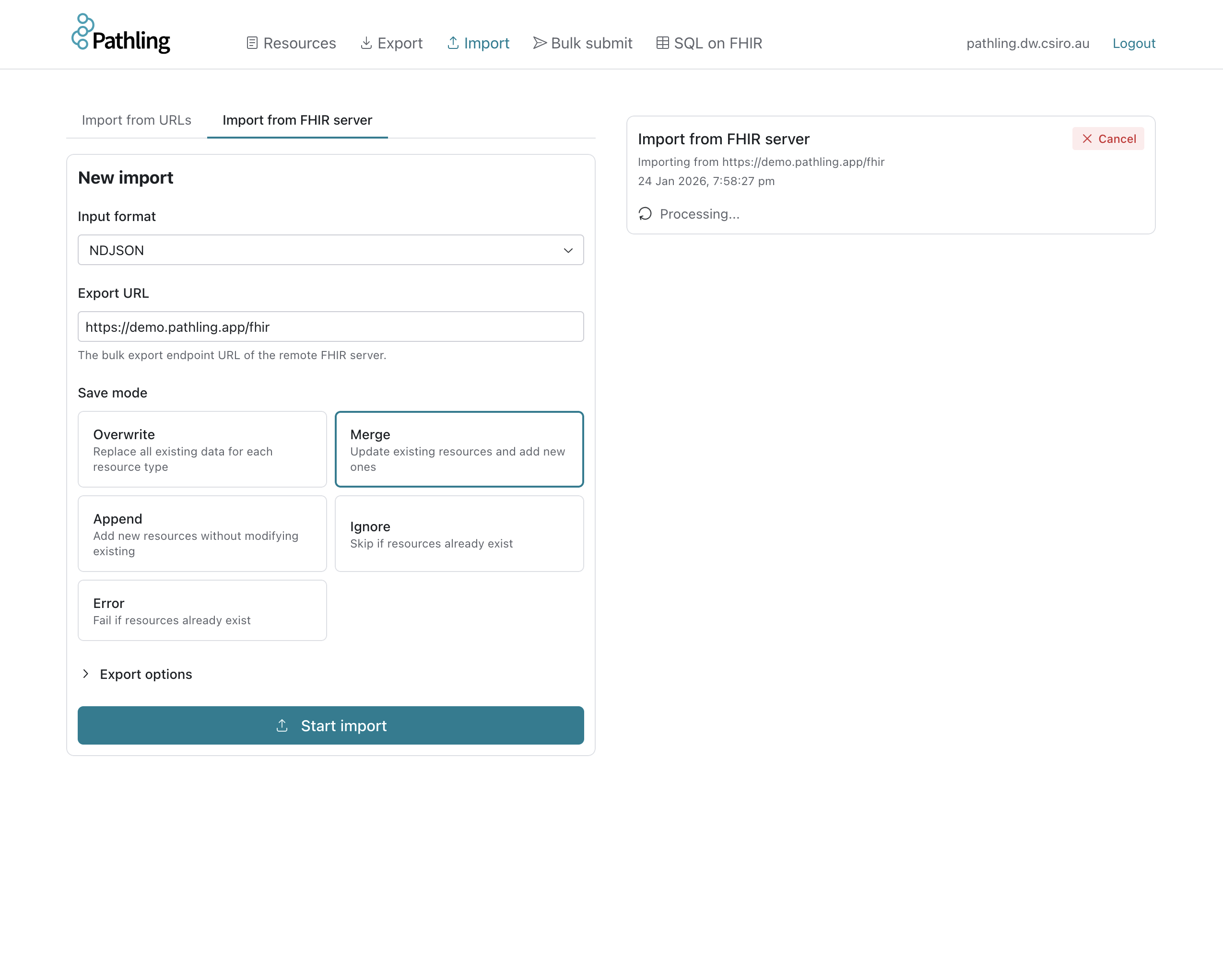
The Import page allows you to import data into the Pathling server from URLs, or from a FHIR server that supports bulk export.
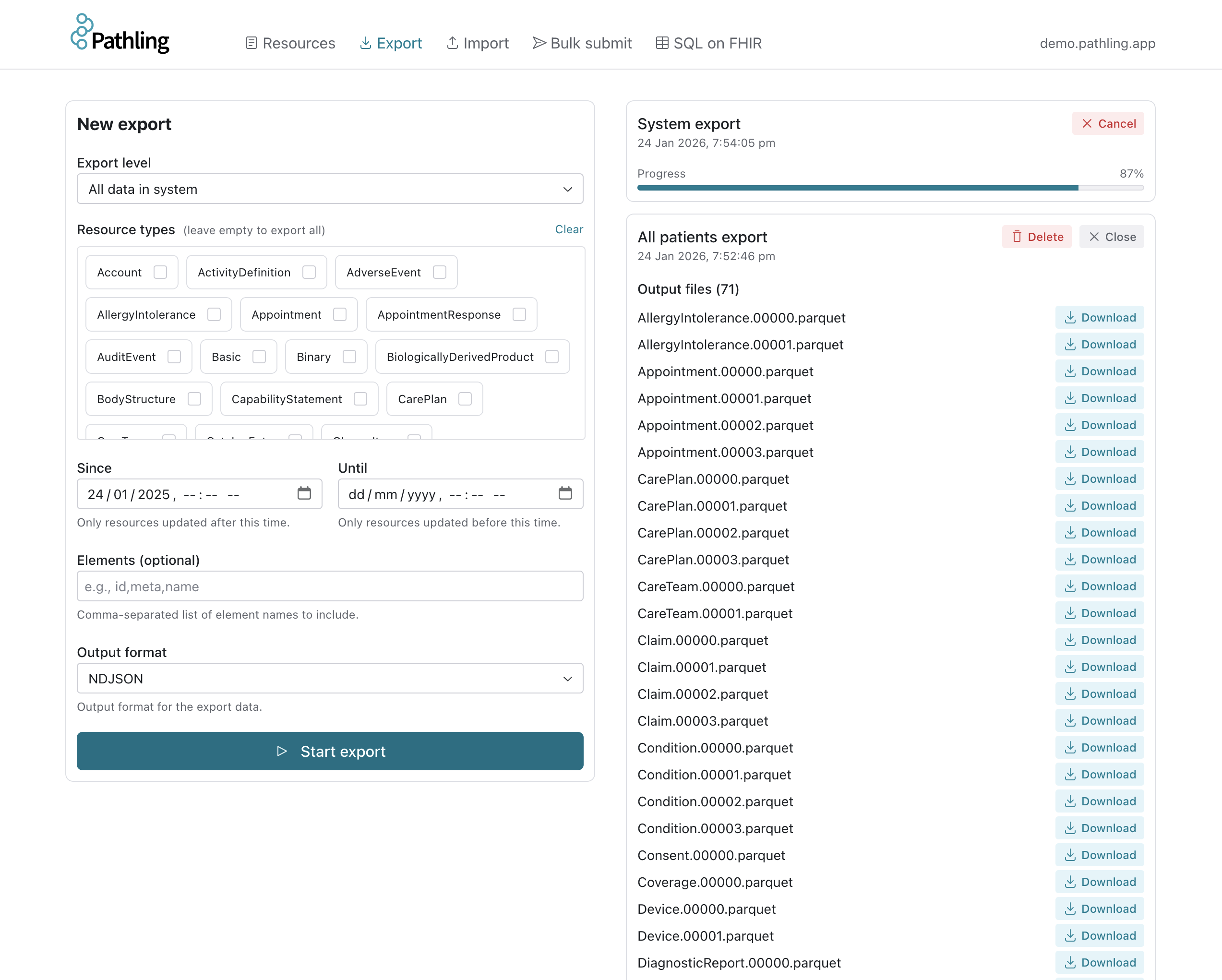
The Export page allows you to export and download bulk data from the Pathling server.
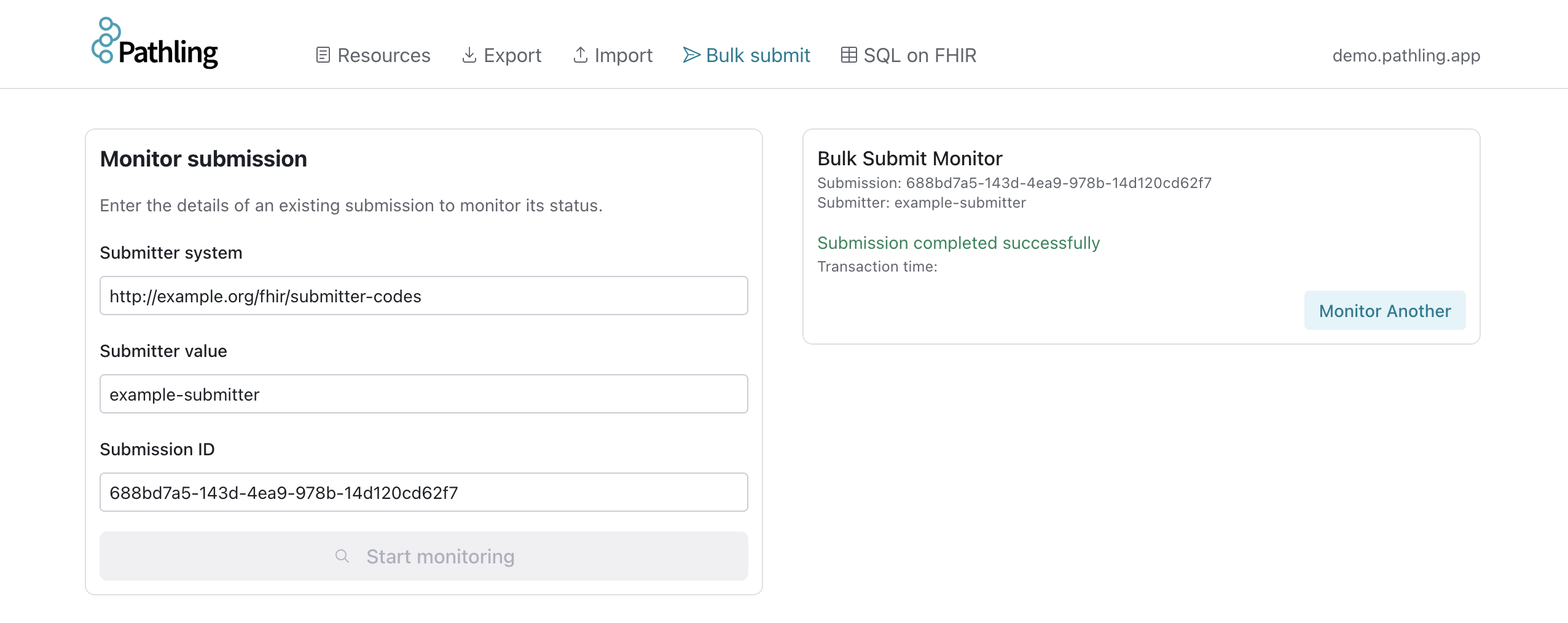
The Bulk Submit page allows you to monitor and manage Bulk Submit jobs.
The SQL on FHIR page allows you to create, run, and export view definitions.
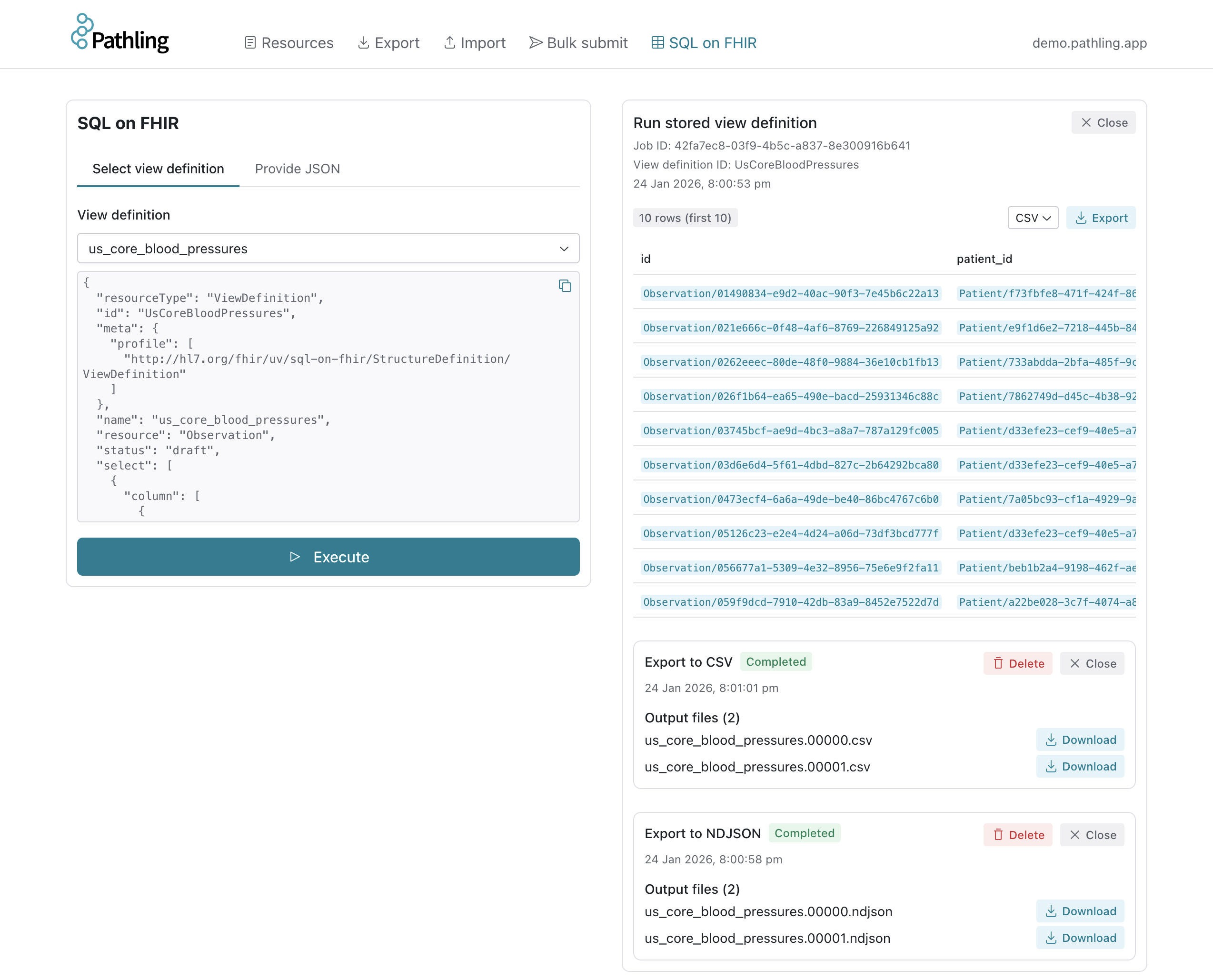
You can interact with a demonstration server at https://demo.pathling.app.
Deployment
Docker
Start a server with Docker:
docker run -p 8080:8080 ghcr.io/aehrc/pathling:1
The FHIR API is available at http://localhost:8080/fhir and the web UI at
http://localhost:8080.
Kubernetes with Helm
For production deployments, use the Helm chart:
helm repo add pathling https://pathling.csiro.au/helm
helm repo update
helm install pathling pathling/pathling
The chart supports both single-node and cluster deployments. In cluster mode, the driver pod spawns Spark executor pods on demand via the Kubernetes API:
pathling:
    image: ghcr.io/aehrc/pathling:1
    resources:
        requests:
            cpu: 2
            memory: 4G
        limits:
            memory: 4G
    volumes:
        - name: warehouse
          persistentVolumeClaim:
              claimName: pathling-warehouse
    volumeMounts:
        - name: warehouse
          mountPath: /usr/share/warehouse
    config:
        pathling.implementationDescription: My Pathling Server
Caching
A cache Helm chart
is available for deployments with high read traffic. The cache respects
Cache-Control headers and can significantly reduce load on the server for
repeated queries.
Getting started
Pull the Docker image and start exploring:
docker run -p 8080:8080 ghcr.io/aehrc/pathling:1
Then open http://localhost:8080 in your browser to access the web UI, or use
curl to interact with the FHIR API at http://localhost:8080/fhir.
For detailed documentation on all operations and configuration options, see the server documentation.